🎮 Game Controls & Keyboard Guide
Hotshift: The Ultimate Agility Challenge
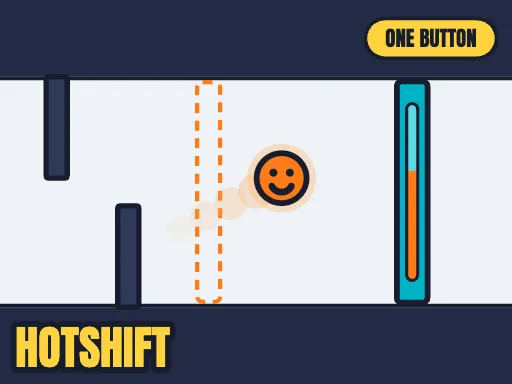
One button does two things at once. Hold it to rise — and to burn HOT. Let go to fall — and to go COLD. Orange gates let you through only while you burn. Blue gates only while you are cold. Going up means burning, so "be high and be cold" is a problem, and that problem is the whole game.
Looking for non-stop entertainment? Hotshift delivers high-stakes Arcade gameplay engineered for smooth performance on any modern device.
⚡ Key Features
📱 Cross-Platform Ready
Flawless gameplay experience on PC, Laptop, Chromebook, iPhone, iPad, and Android.
⚡ Instant Browser Play
No installation, downloads, or plugins required. Loads in seconds directly in HTML5.
⭐ Pro Tips & Strategy
Stay centered on the screen whenever possible to allow maximum reaction time in all directions. Maintain a steady rhythm and avoid rushing when navigating through narrow obstacle gaps.





Complete Guide & Gameplay for Hotshift
Hotshift combines arcade simplicity with deep tactical layers. Master key combos, anticipate speed variations, and set unbeatable record scores.
This classic Agility browser title is fully optimized for HTML5 browsers, delivering responsive physics and immersive action on desktop, mobile, and tablet platforms without downloads.
